
DuckDuckGo, optional Duck.ai
DuckDuckGoProductivity
4.7385.06K Reviews
- Version
- 5.302.0
- Installs
- 50.00M
- Age Rating
- Everyone
Screenshots

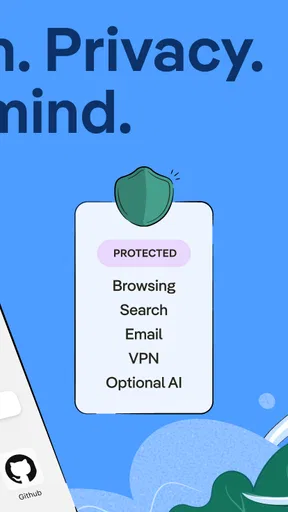


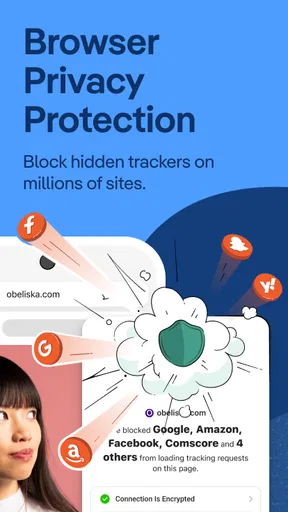

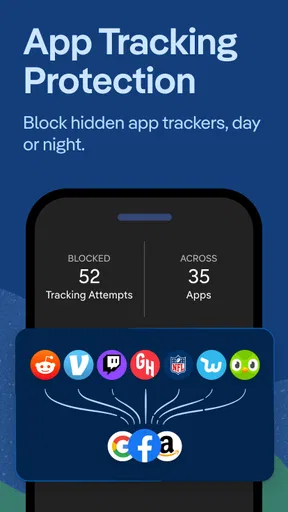

Our Review of DuckDuckGo, optional Duck.ai
 Analysis by Appyee
I treat privacy as part of a workable phone routine, not a switch I flip once and forget. That is why DuckDuckGo caught my attention: it brings private search and browsing together with tools for reducing tracking, so I can use it for everyday lookups without making privacy another complicated task. It is a free productivity app from DuckDuckGo, and its appeal is less about replacing every app on my phone than about giving routine web activity a more private home.
Start with the workflow you actually want
Before changing browsers, I find it useful to decide what I want to keep separate. If I mainly want less tracking while searching for directions, checking a recipe, or looking up a product, DuckDuckGo can handle those quick tasks without requiring me to overhaul the rest of my setup. If I expect it to replace a browser that holds years of synced tabs, passwords, and habits, the switch deserves more thought.
That distinction matters because a privacy-focused browser is most useful when it fits a routine I can stick with. I would make it my first stop for casual searches and reading, then keep another browser available for sites that depend on a familiar account setup or behave poorly outside their usual environment. Using two browsers is not a failure; it can be a sensible boundary between general browsing and tasks tied to an existing ecosystem.
In my experience, this approach also makes the app’s value easier to judge. Rather than asking whether it can do everything, I ask whether it makes ordinary browsing feel simpler and less exposed. For many people, that is a more realistic standard than expecting one app to replace every tool and habit on a phone.
Your Privacy, Their Priority
First off, DuckDuckGo is renowned for its commitment to user privacy. Unlike other browsers that track your every move, DuckDuckGo takes the opposite approach. It doesn’t track your search history, and it blocks third-party trackers, which is a huge relief if you’re tired of those creepy ads following you around after a quick search. The app also forces sites to use encrypted connections whenever possible, so you can browse with peace of mind.
Smooth Browsing Experience
Okay, so we know it’s secure, but how does it perform? I’ve got to say, the browsing experience is pretty smooth. Pages load quickly, and the interface is clean and straightforward. You won’t find any unnecessary bells and whistles here, but that’s the beauty of it. It’s all about efficiency and straightforward navigation. Plus, there's a nifty feature called the Fire Button that lets you clear all tabs and data with a single tap. Talk about a quick getaway!
That button is especially useful when I am sharing a device or looking something up that I do not want left open for the next person to see. I treat it as a deliberate clean-up action, not a substitute for deciding what information I put into a website in the first place. A quick clear can reduce what remains in the browser, but it cannot undo an account activity or a form submission already sent to a site.
Search Without Being Tracked
The search engine itself deserves a mention. DuckDuckGo offers unbiased search results because it doesn’t personalize based on your history. It’s refreshing to see search results that aren’t influenced by a slew of algorithms. Whether you’re researching a topic or shopping online, you get a genuine sense of search transparency. Another cool tool is the Privacy Grade feature, which provides an at-a-glance rating of each website’s privacy practices. It's like having a privacy expert guiding you through the web.
Less personalization is a trade-off as well as a benefit. Search results may not feel as tailored to my past interests, so I sometimes need to phrase a query more clearly or add a location or other context myself. For a one-off question, that is a fair exchange. When I am doing detailed research and rely on a search engine to remember preferences or connect activity across devices, a more personalized alternative may feel more convenient.
Features That Stand Out
Let’s talk features. Besides the privacy-centric tools, DuckDuckGo includes a few extras that enhance its usability. For instance, there’s a dark mode for those late-night browsing sessions and a handy bookmarks feature to keep track of your favorite sites. One thing I appreciate is how the app integrates search results with instant answers. It pulls information from a variety of sources to give you quick results without even needing to click on a link.
For those who love a bit of customization, DuckDuckGo allows you to tweak the appearance and set your preferences to suit your style. It’s not overloaded with options, but it gets the job done without overwhelming you with choices.
A routine that holds up on a busy day
A realistic use for me is a day of small, disconnected searches: checking a bus route, finding a lunch idea, comparing a household item, then opening a saved page later. I can use private search for the quick questions, keep a useful page in bookmarks, and clear the browsing session when I am done on a shared screen. The benefit is not that every task becomes dramatically different; it is that these ordinary steps happen in one place with less need to think about trackers each time.
For a more organized routine, I would keep bookmarks focused on pages I revisit rather than treating them as a catch-all reading list. A bookmark is handy for a reference I know I will need again; it is less helpful as a substitute for a dedicated notes or task app. That boundary keeps the browser useful without turning it into an improvised filing system.
The browser is also a practical option for someone who wants to try private search before changing other habits. I would set it as the default only after a few days of normal use, when I have checked that the websites I rely on work as expected. That small trial makes it easy to spot a site that needs another browser, without making the entire switch feel like a commitment.
Where it fits among familiar alternatives
Compared with the default browsers many people already use, DuckDuckGo puts privacy protections and a less personalized search experience closer to the center of the daily workflow. A mainstream browser may be the smoother choice if I depend on synced activity, a deeply established account ecosystem, or features connected to other services. DuckDuckGo makes more sense when I value a straightforward interface and want a separate place for searches that do not need to follow me around.
It is not a replacement for every privacy tool, either. A browser can reduce some forms of tracking, but it does not make every website trustworthy or remove the need to think carefully before sharing personal details. I see it as a useful layer in a broader routine, rather than a promise that browsing becomes completely anonymous or risk-free.
Features that reward a little attention
The Fire Button is easy to use, but I would decide what I want to preserve before tapping it: clearing tabs and data can be inconvenient if I meant to return to an open page. Bookmarks are a better place for pages I know I will need again. That simple distinction—temporary tabs for passing tasks, bookmarks for deliberate keepers—makes the clean-up feature more useful instead of turning it into a source of lost work.
The Privacy Grade can also be treated as a prompt to pause rather than a final verdict on whether a site is safe. If a page asks for sensitive information, I still look at what I am submitting and whether I trust the service. The rating adds a quick privacy signal, but my judgment remains important, especially on unfamiliar sites.
DuckDuckGo’s store rating averages 4.7 from around 2.4 million ratings, and it has been installed over 50 million times. Those figures suggest that its privacy-first approach has broad appeal, but they do not tell me whether its browsing habits will suit a particular person. Trying it with a few ordinary tasks is still the most useful test.
When a different setup is the better fit
I would hesitate to make it my only browser if my work depends on a particular browser’s account sync, extensions, or established tab workflow. The same goes for anyone who values heavily personalized search more than reduced tracking: less history-based tailoring can mean doing a little more work to get the result I want. In those cases, keeping a familiar browser for specific tasks while using DuckDuckGo for general searches is a reasonable compromise.
It is also not a task manager, secure storage tool, or a replacement for careful account settings. Its productivity value comes from reducing friction around routine web use, not from organizing an entire digital life. If I need project planning, shared documents, or a long-term research archive, I would use tools built for those jobs and let the browser handle browsing.
Why Choose DuckDuckGo?
So, why would someone choose DuckDuckGo over more mainstream browsers? If privacy is at the top of your list, then this app is a no-brainer. It’s perfect for anyone who’s concerned about data mining or tired of being targeted by ads. Plus, it’s suitable for those who prefer an uncluttered browsing experience with reliable security features.
It is free to get started, though the app also offers in-app purchases priced from $9.99 to $99.99 per item. It is rated for Everyone, and the current version is 5.265.0, with Android 8.0 as the minimum operating-system requirement. DuckDuckGo has been available since April 8, 2011, so this is an established app rather than a brand-new experiment. I would still check that my device meets the requirement before installing, then decide whether the available browsing tools match what I actually need.
For someone who wants one uncomplicated place for private searches, everyday browsing, bookmarks, and quick session clean-up, I think it is an easy app to try. For someone who expects a full replacement for a browser built around account syncing or advanced customization, it may be better as a companion. That is the choice I would make: give DuckDuckGo the searches where privacy and simplicity matter most, and keep another option for the tasks that genuinely depend on it.
In summary, DuckDuckGo offers a refreshing alternative to typical browsers. With its emphasis on privacy and simplicity, it's a solid choice for anyone looking to enhance their online security. It’s like having a personal bodyguard for your digital life, ensuring you can browse without constantly looking over your shoulder.
Overall, if you haven’t tried DuckDuckGo yet, I’d say it’s worth the download. Give it a whirl, and see how liberating a truly private browsing experience can be.
Privacy and Permissions
See what permissions an app requests and how it handles your data.
- Location
- approximate location (network-based), precise location (GPS and network-based)
- Phone
- read phone status and identity
- Photos/Media/Files
- read the contents of your USB storage, modify or delete the contents of your USB storage
- Storage
- read the contents of your USB storage, modify or delete the contents of your USB storage
- Camera
- take pictures and videos
- Microphone
- record audio
- Device ID & call information
- read phone status and identity
- Other
- view network connections, full network access, change your audio settings, run at startup, prevent device from sleeping, install shortcuts
Verdict
Strengths of DuckDuckGo, optional Duck.ai
- Strong privacy protection features.
- No user data is stored or tracked.
- Simple, intuitive user interface.
- Fast and reliable performance.
- Ad-free browsing experience.
Limitations of DuckDuckGo, optional Duck.ai
- Limited search personalization options.
- Occasional irrelevant search results.
- No advanced search filters.
- Fewer features than competitors.
- Lacks integrated services like maps.
Similar Picks in This Category
View All
Google Calendar
Google LLC4.6

Google Drive
Google LLC4.3

Google Assistant
Google LLC3.9

Microsoft OneDrive
Microsoft Corporation4.6

Samsung Calendar
Samsung Electronics Co., Ltd.4.1

Microsoft OneNote: Save Notes
Microsoft Corporation4.6
Frequently Asked Questions
What is DuckDuckGo and how does it protect my privacy?
DuckDuckGo is a search engine designed to protect user privacy by not tracking your search history or personal data. Unlike other search engines, it doesn’t store personal information, ensuring your searches remain private. Additionally, it blocks tracking cookies and provides a privacy grade rating for websites to help you make informed decisions.
Does DuckDuckGo offer any additional features beyond private searching?
Yes, DuckDuckGo offers several features beyond private searching. It includes a built-in tracker blocker, encryption protection, and a smarter encryption model that forces sites to use an encrypted connection when available. The app also provides a privacy grade for websites, helping you understand the level of privacy each site offers.
Is DuckDuckGo available on both Android and iOS?
DuckDuckGo is available for both Android and iOS devices. Users can download the app from the Google Play Store or the Apple App Store. It provides a seamless browsing experience with enhanced privacy features on both platforms, ensuring that your online activity is not tracked or stored.
Can I use DuckDuckGo as my default browser?
Yes, you can set DuckDuckGo as your default browser on both Android and iOS devices. This allows all your web searches and online activities to be conducted with enhanced privacy. By setting it as your default, you ensure that you are always using a browser that prioritizes your privacy with every search.
How does DuckDuckGo compare to other browsers in terms of speed and usability?
DuckDuckGo offers a clean and intuitive interface, making it comparable to other leading browsers in terms of usability. While its primary focus is on privacy, it doesn’t compromise on speed, providing a fast browsing experience. Users will find it responsive and as efficient as more mainstream browsers, with the added benefit of comprehensive privacy features.
